Coreform Cubit Version: 2025.12 Platform: Windows 11
Issue
I recently installed Cubit 2025.12, and have been running into an issue where the graphics display is disabled, and instead shows the following error:
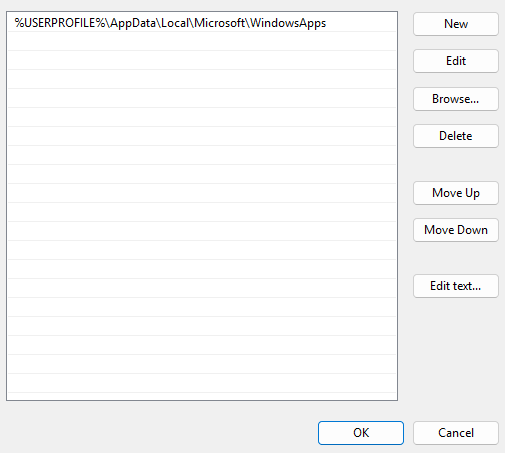
I had used Cubit 2025.1 with no issues like this up until about 2 weeks ago, so I’m not sure what’s causing this. I found this previous post that mentioned that this can be caused by other programs being on the PATH: Part graphics interface not function on Cubit GUI. However, I cleared most everything from my PATH and am still running into this issue. Here’s what my PATH looks like now
When you get this error, does Cubit just abort? Other than the error, what is the outcome here? Did this ever work for you on Coreform Cubit 2025.12 or has this problem only manifested itself with the 2025.12 version?
Cubit still runs fine, it just doesn’t display anything in the GUI. All the other functionality appears to be working ok, as I can still create geometries, mesh them, and export the mesh. This worked fine for me in 2025.1, but it has never worked in 2025.12. Thanks for your help!
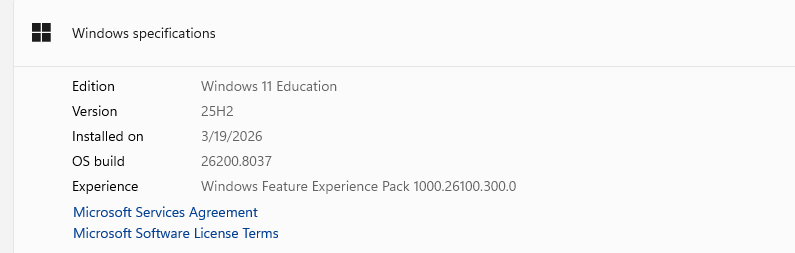
What version of Windows are you running? I run Windows 11 Pro Version 10.0.26200 Build 25200. I have not seen this error. Running on Linux would be a different configuration.
I was previously using Cubit 2025.1 on this machine and the graphics worked perfectly. I only switched because I was previously on the Learn program, which I think has been discontinued, and am now on an associate license. I’m not sure which prior versions support the associate license so I haven’t done any testing with downloading them. Do any versions before 2025.12 support the license, and do you think it would be worth downloading them to see if it resolves the issue?
I tried downloading a couple previous versions, but unfortunately this didn’t fix the problem. I still experienced the same issue on 2025.9, and I don’t think I can use 2025.3 or earlier because they don’t seem to support the associate license. Please let me know if you have any other ideas.