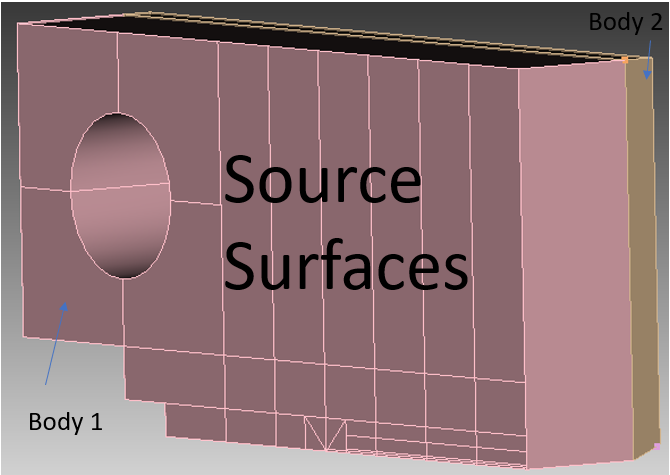
I have a specimen shown in figure 1 below:
I meshed the sources surface of body 1 and sweep it across body 1. See figure 2 below.
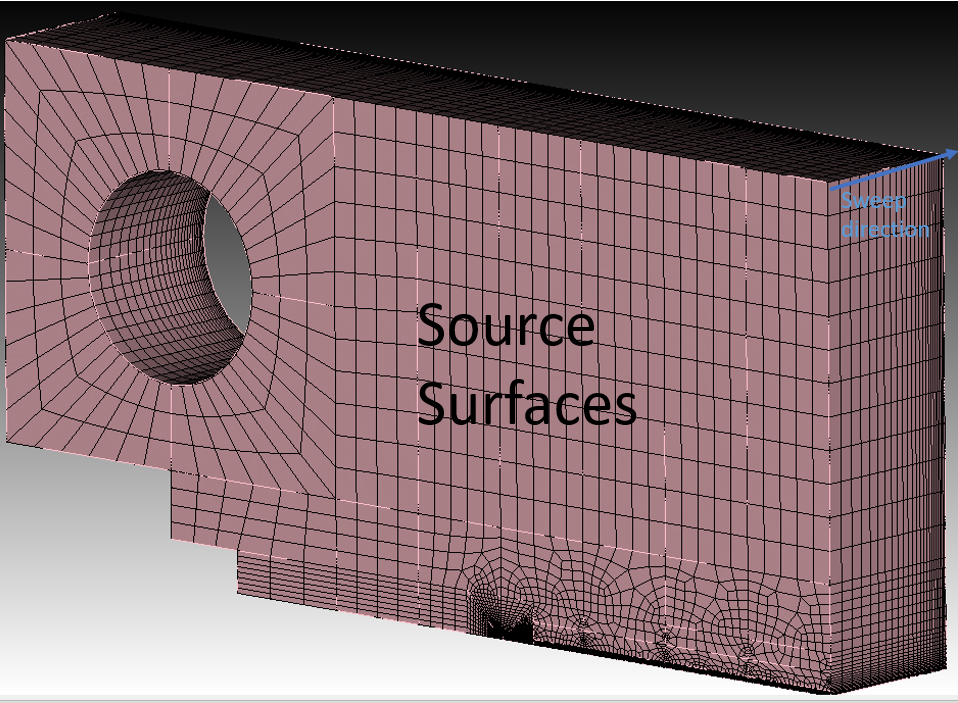
Body 1 meshed is good in a sense that the source surface(s) and target surface of the body matches (that is, it simply a projection of source surface onto target surface…all nodes/mesh align).
For Body 2 (the CT part with side-groove), I used the same sweep meshing as I did for body 1 (see figure 3 below.)
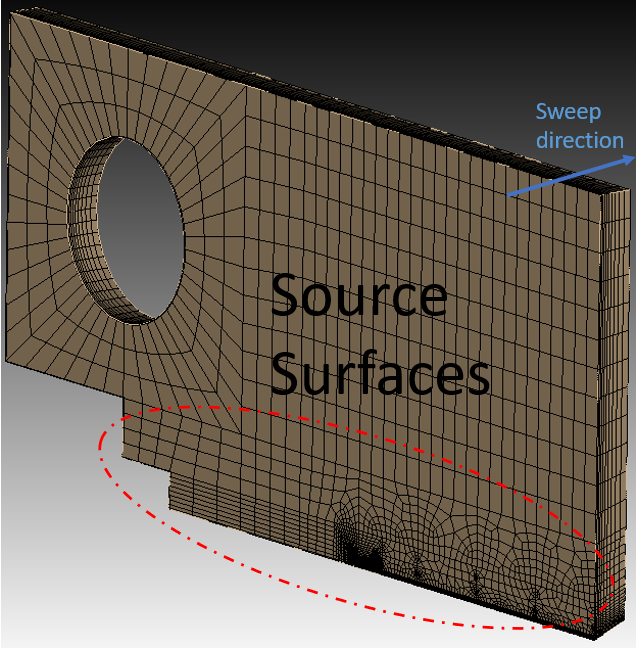
But for this body, the source surface and the target surface mesh doesn’t match. The target surface mesh are "different (see figure 4).
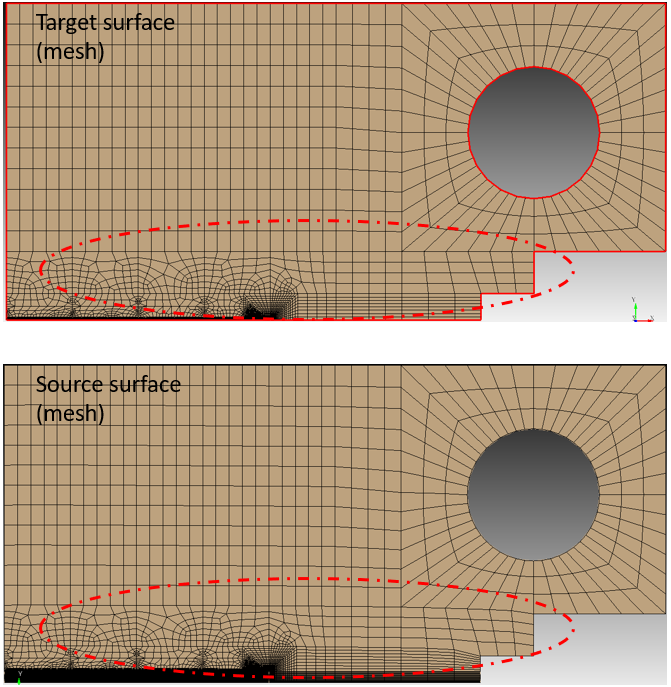
Is there any way to mesh body 2 such that the source and target surface mesh match (align)?
Thanks,