Coreform Cubit Version: 2025.12*
Platform: windows 10
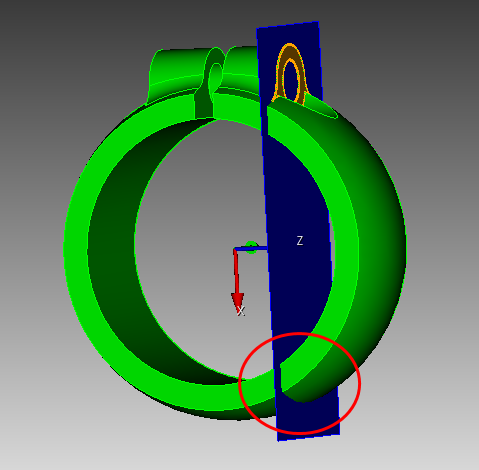
i just want to WebCut the upper part of the ring by using the existing planar surface.
if i use “plane surface” or “sheet extended from surface” to cut it, the cutting plane will be extended and the lower part of the ring is also cut by mistake.
although there are some other ways to avoid cutting the lower part, but they are a little complicated and needs many steps.
so if there is any easy way to cut only the upper part of the ring?