Hello!
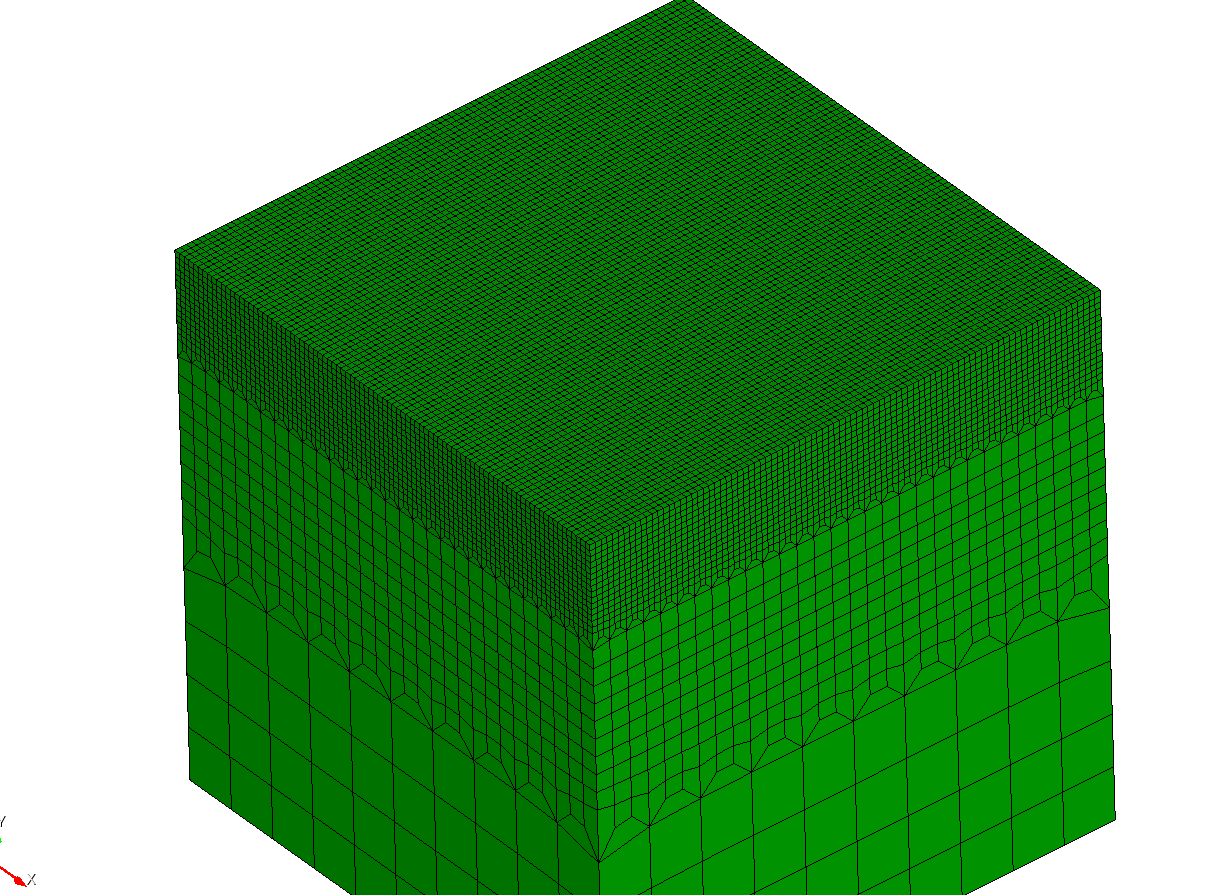
I am trying to achieve the mesh refinement shown here:
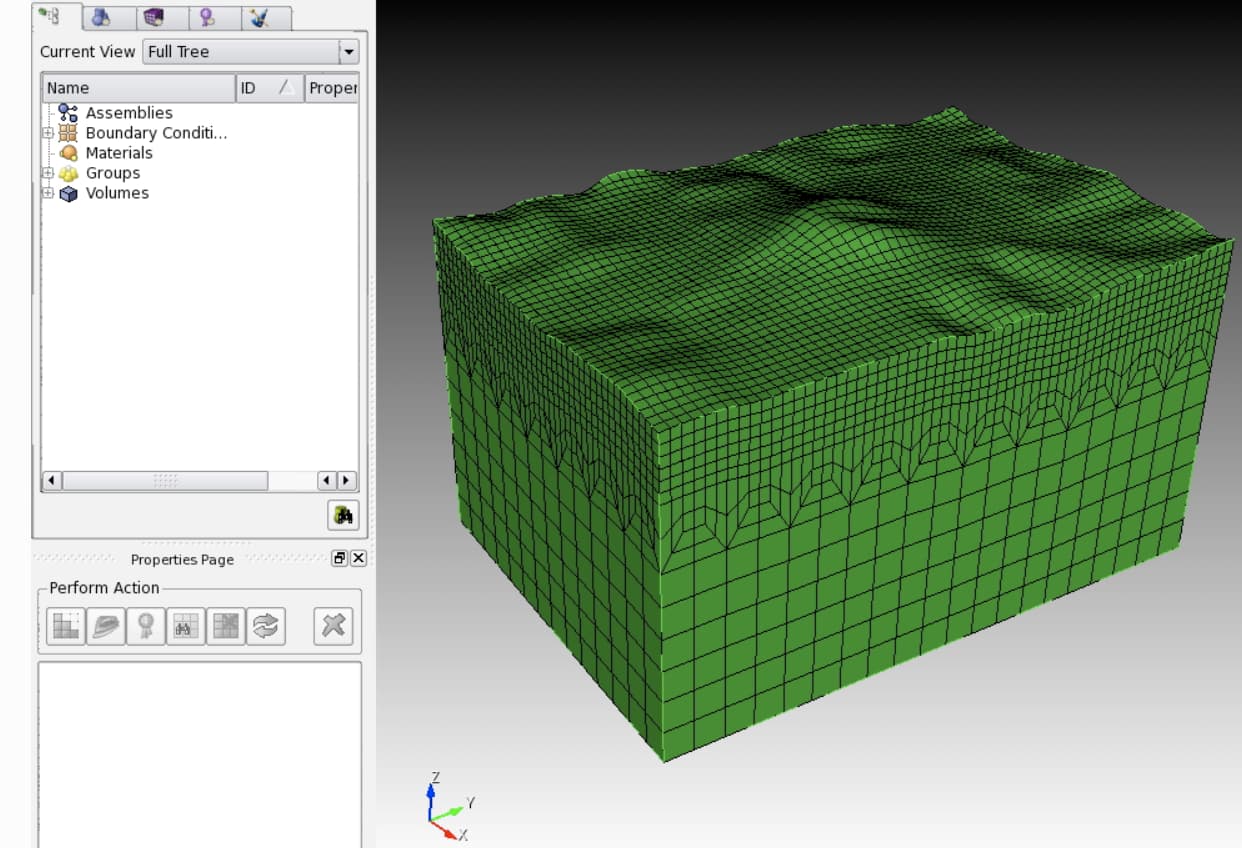
But starting from this mesh:
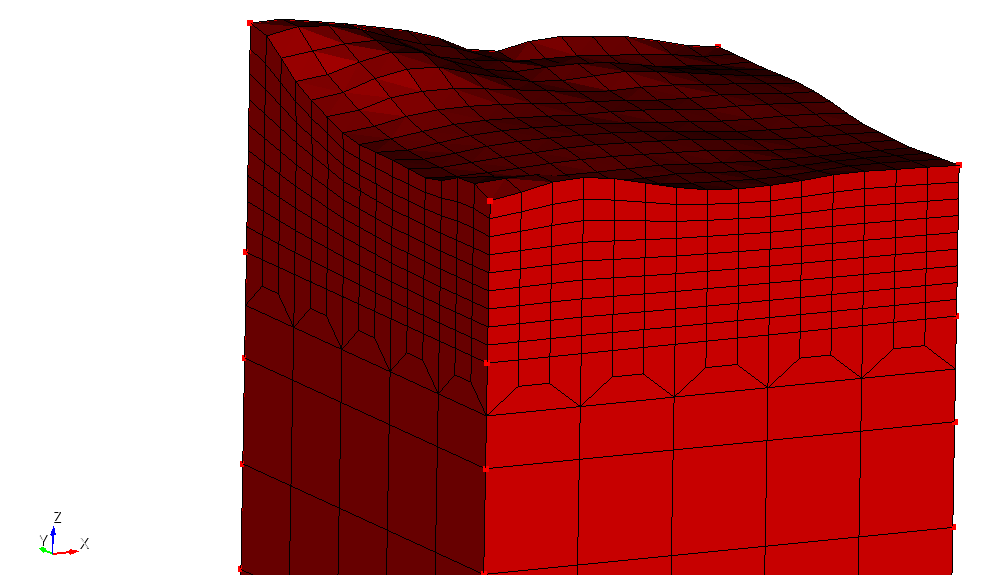
I tried with “refine volume 1 using plane zplane depth 10” but this does not produce the desired result. The refinement propagates diagonally through the transition region instead of creating the complete vertical divisions that I would like.
Is there a recommended way in Coreform Cubit to create this type of controlled refinement in an existing all-hex mesh? For example, would this be possible using hex sheet refinement/insertion, or would the transition need to be constructed differently during the original meshing process?
Any suggestions on the appropriate Cubit commands or meshing strategy would be greatly appreciated.
Thank you!