Hi,
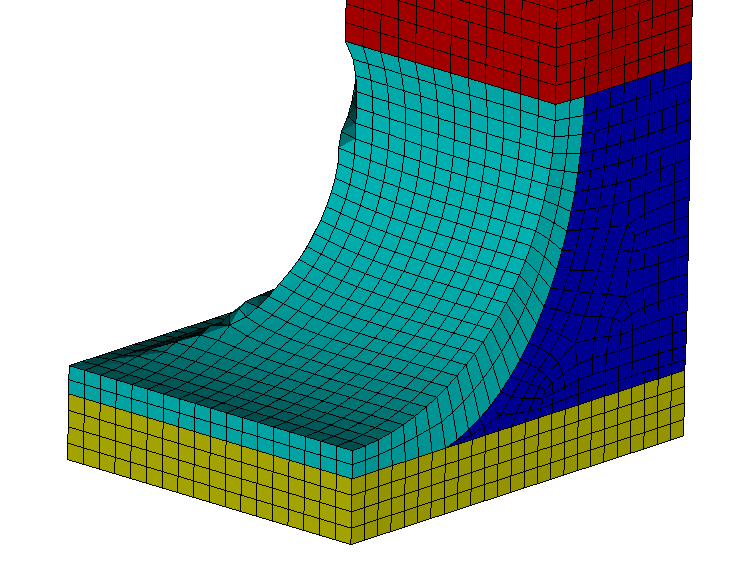
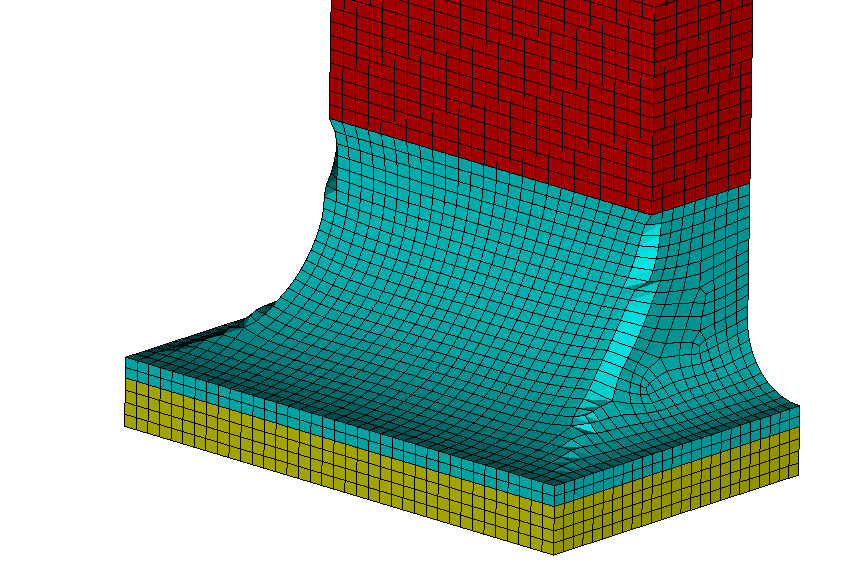
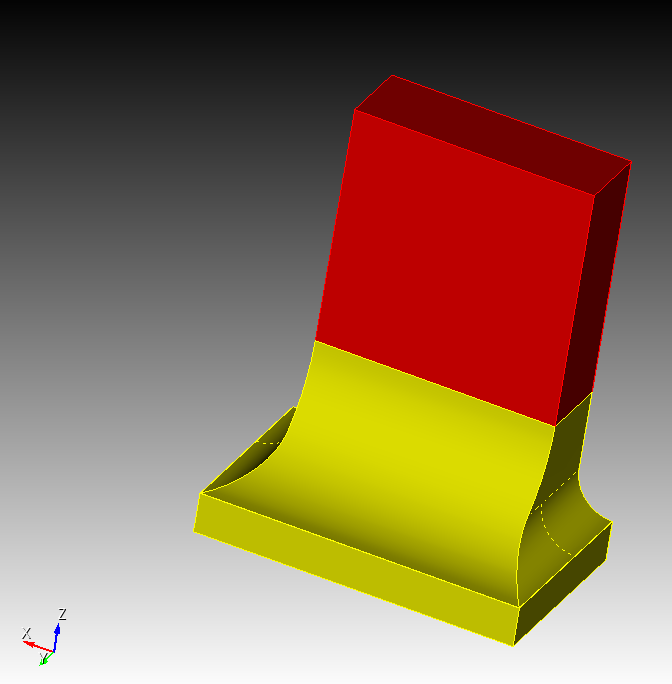
I tested different scheme (sweep+map, submap, etc) but always leading to bad elements quality: how would you proceed?
Thanks for your advices
Paul
test.cub5 (120.2 KB)
Hi,
I tested different scheme (sweep+map, submap, etc) but always leading to bad elements quality: how would you proceed?
Thanks for your advices
Paul
Hi @paul18fr,
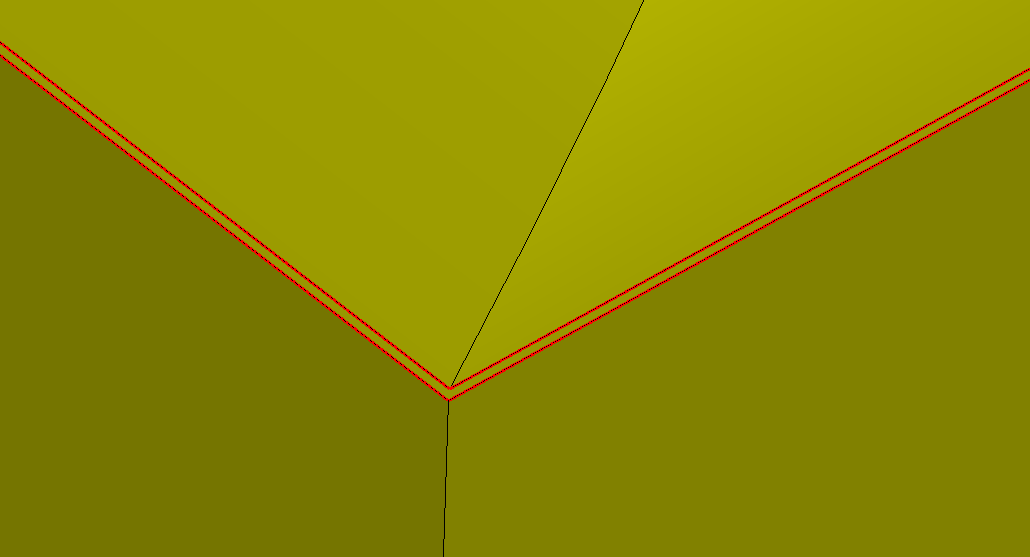
do you need this small area around the blunt tangencies?
No
I missed it when I made the model using FreeCAD 
Except if I’m mistaken, the part should be identical to:
reset
Brick x 40 y 50 z 100
Brick x 50 y 50 z 100
Volume 2 move y 20 z 10
subtract volume 2 from volume 1

Brick x 50 y 50 z 100
Volume 3 move x 35 z 10
subtract volume 3 from volume 1

modify curve 50  blend radius 10
modify curve 54  blend radius 30

volume all copy reflect origin -20. 0. 0. direction -1. 0. 0.
imprint all
merge all
You could try to do a inside out mesh on the part with the tangencies.
First you would need to do decompose the troublesome part. Afterwards you can composite some surfaces and take control of the sweep directions and meshing order.
reset
open "C:/Users/offic/Downloads/test.cub5"
composite delete surface 25
composite delete surface 24
webcut volume 2  sweep surface 8  perpendicular inward through_all
delete volume 3

webcut volume 2 with plane normal to curve 71 fraction 0.3 from start
volume 4 copy scale x 0.8 y 0.8 z 1.15
move Volume 5  z -5
subtract volume 5 from volume 4  keep_tool

webcut volume 5  with sheet extended from surface 65
webcut volume 5  with sheet extended from surface 67
delete volume 6, 7

imprint vol all
merge vol all

vol all size 2

composite create surface 2, 3, 5, 10, 14, 21, 23

composite create surface 58 to 60
composite create surface 62 to 64
volume 5  redistribute nodes off
volume 5  scheme Sweep  source surface 99    target surface 98   sweep transform least squares
volume 5  autosmooth target on  fixed imprints off  smart smooth off
mesh volume 5

volume 4  redistribute nodes off
volume 4  scheme Sweep  source surface 61 99 98 67    target surface 97   sweep transform least squares
volume 4  autosmooth target on  fixed imprints off  smart smooth off
mesh volume 4

mesh volume 1 2

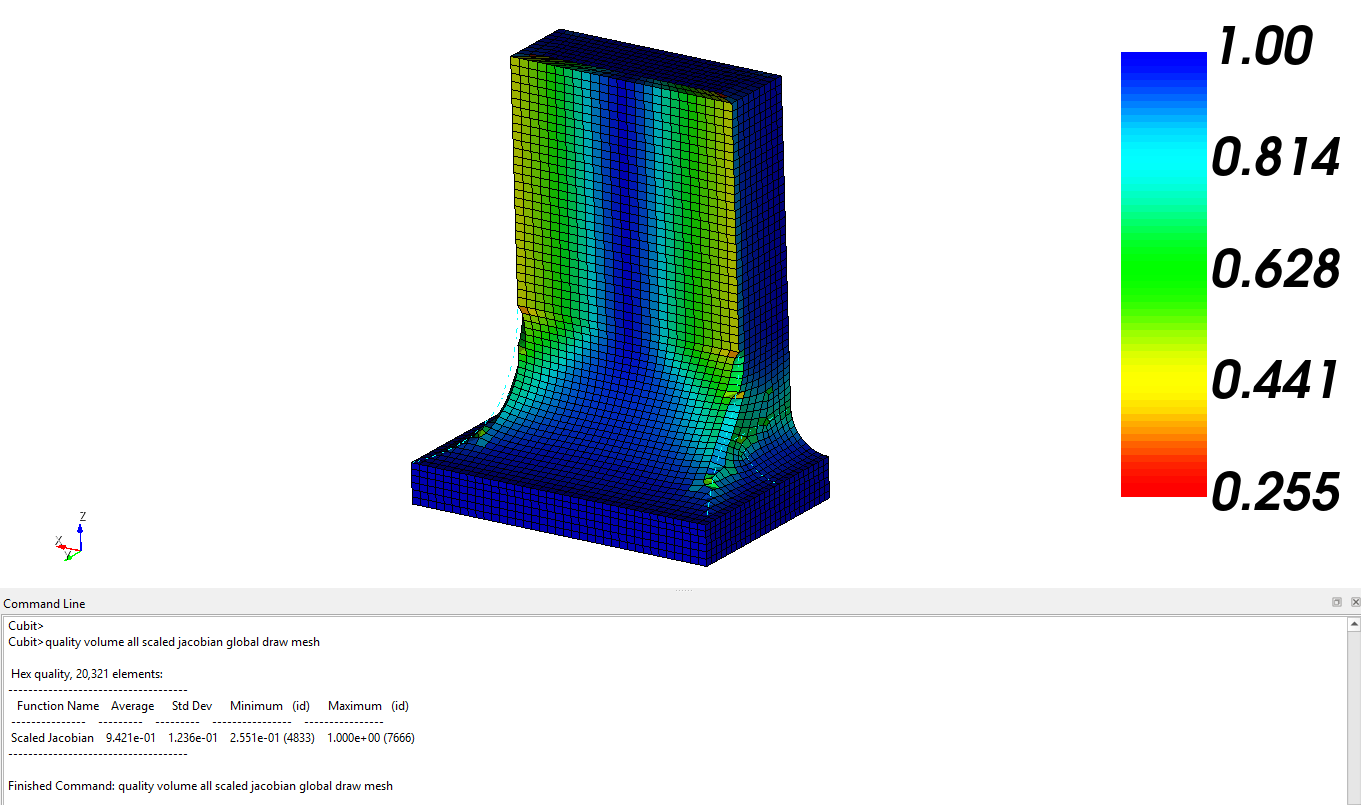
quality volume all scaled jacobian global draw mesh
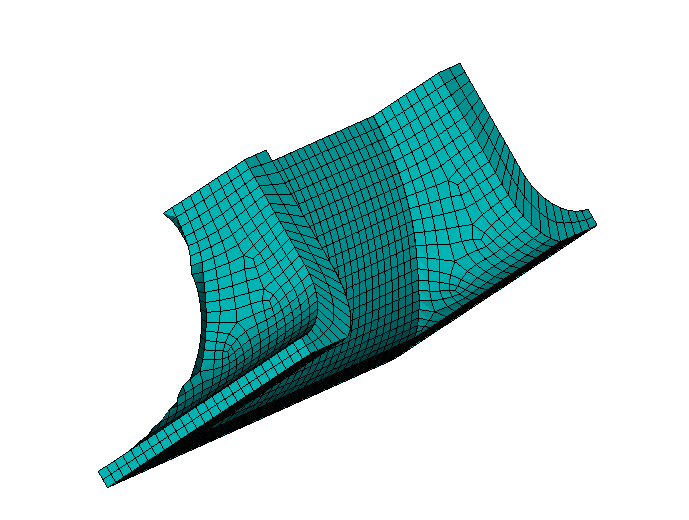
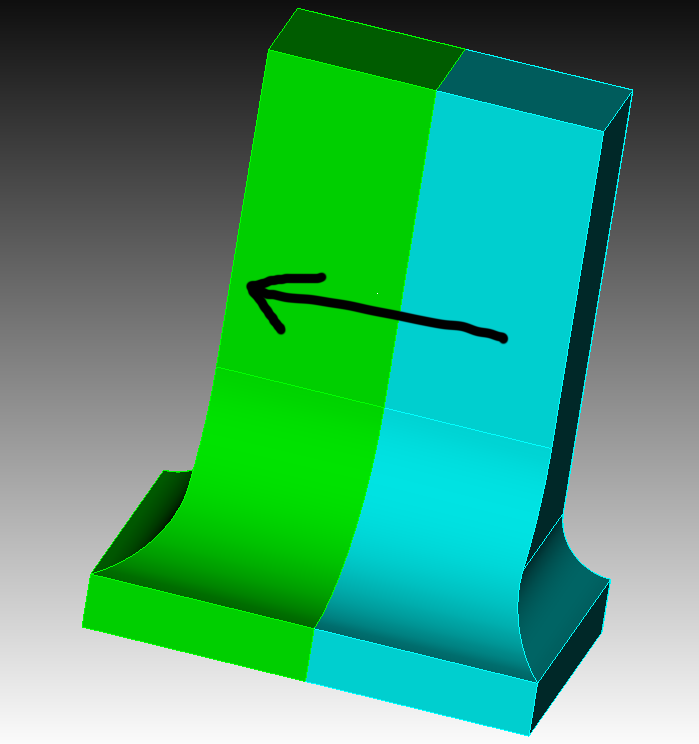
interesting cuts, however I need to keep “as it stands” the common edge betwwen the 2 fillets
(that’s why I tested first a sweep following the picture)
Something like this?
reset
open "C:/Users/offic/Downloads/test.cub5"
composite delete surface 25
composite delete surface 24
webcut volume 2  sweep surface 8  perpendicular inward through_all
delete volume 3

imprint vol all
merge vol all

composite create surface 10, 14, 23, 26
composite create surface 2, 24
composite create surface 3, 5, 21, 25
#Draw Surface all Vertex Type

Surface 35 36 Vertex 9 Type side
Surface 36 37 Vertex 7 Type side
Surface 35 Vertex 17 Type side
Surface 37 Vertex 14 Type side
#Draw Surface all Vertex Type

vol all size 2

mesh volume 1 2

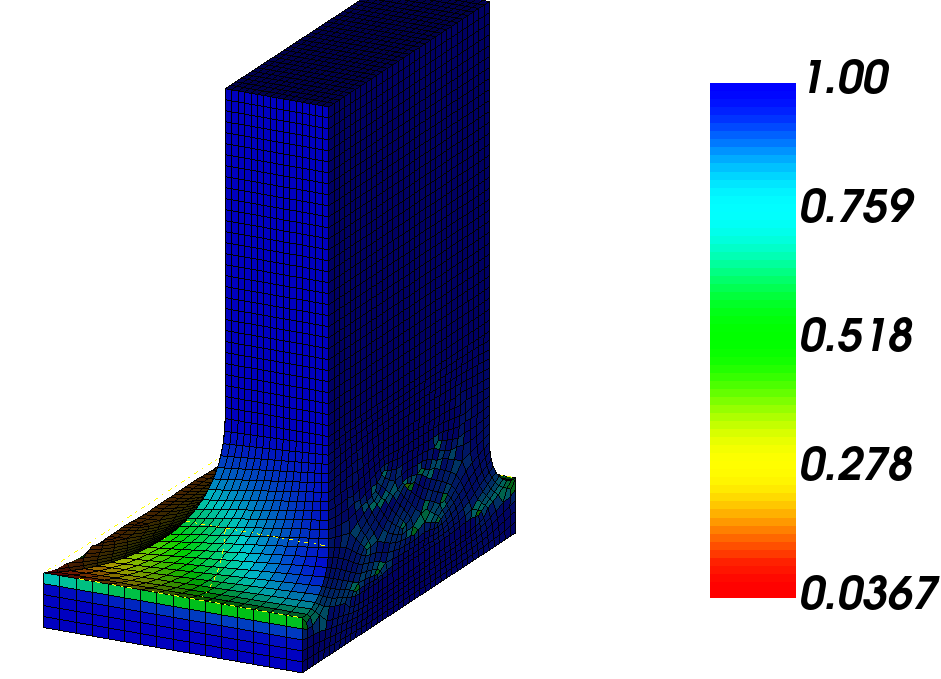
quality volume all scaled jacobian global draw mesh
But as you see the quality is worse then with the first approach.
agree, that’s typically what I’m facing; I feel the solution is a mix of webcuts (complex?) and smoothing (that’s the challenge  )
)
Thanks for you time
Paul
you could also try to cut the sharp tangenicies.
reset
open "C:/Users/offic/Downloads/test.cub5"
composite delete surface 25
composite delete surface 24

webcut volume 2  with plane normal to curve 29  distance 3 from start
webcut volume 2  with plane normal to curve 81  distance 3 from end
webcut volume 4  with plane normal to curve 30  close_to vertex 54
webcut volume 5 4 3 2  with sheet extended from surface 33
delete volume 2 to 4

composite create surface 23, 26, 27, 70
composite create surface 21, 50, 51,68
composite create surface 64 69


imprint vol all
merge vol all

vol all size 2

volume 5  redistribute nodes off
volume 5  scheme Sweep  source surface 16    target surface 66   sweep transform least squares
volume 5  autosmooth target on  fixed imprints off  smart smooth off
mesh volume 5

mesh vol all

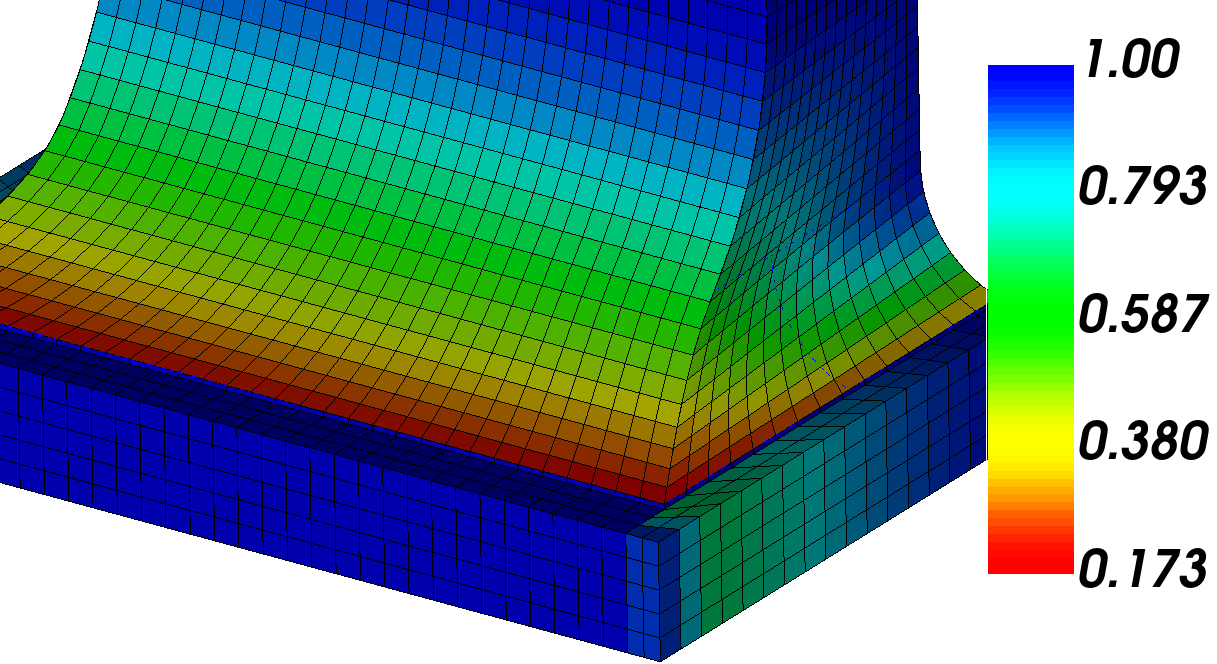
quality volume all scaled jacobian global draw mesh