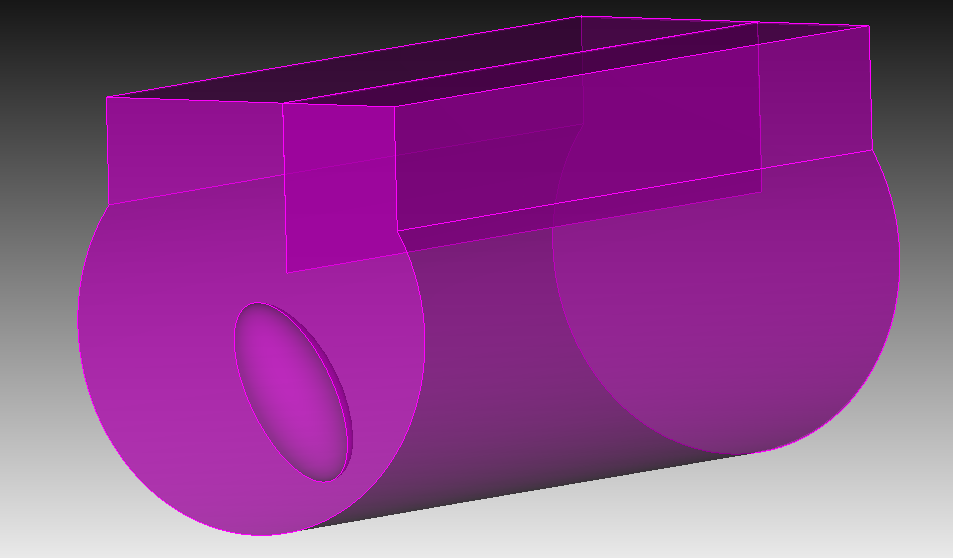
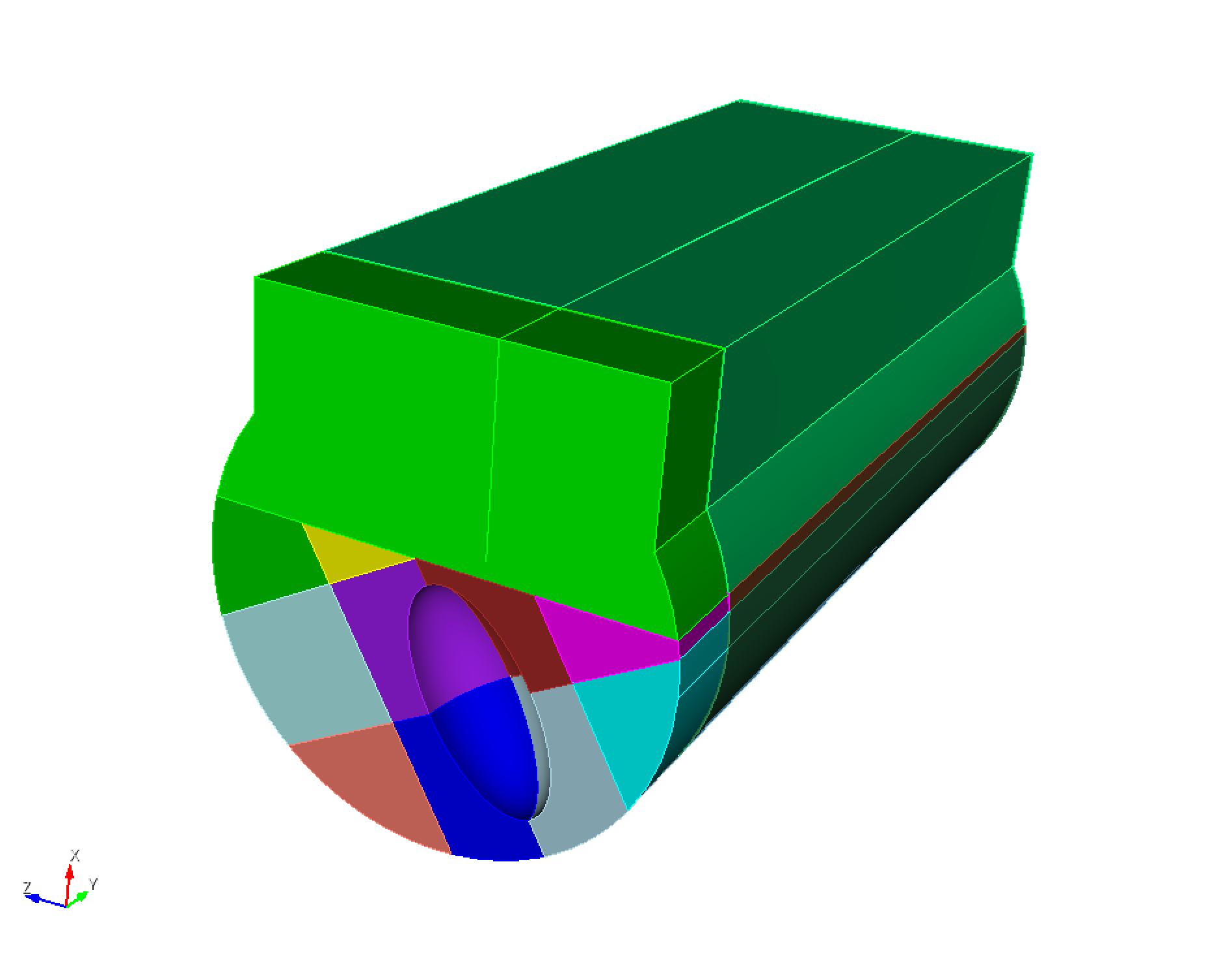
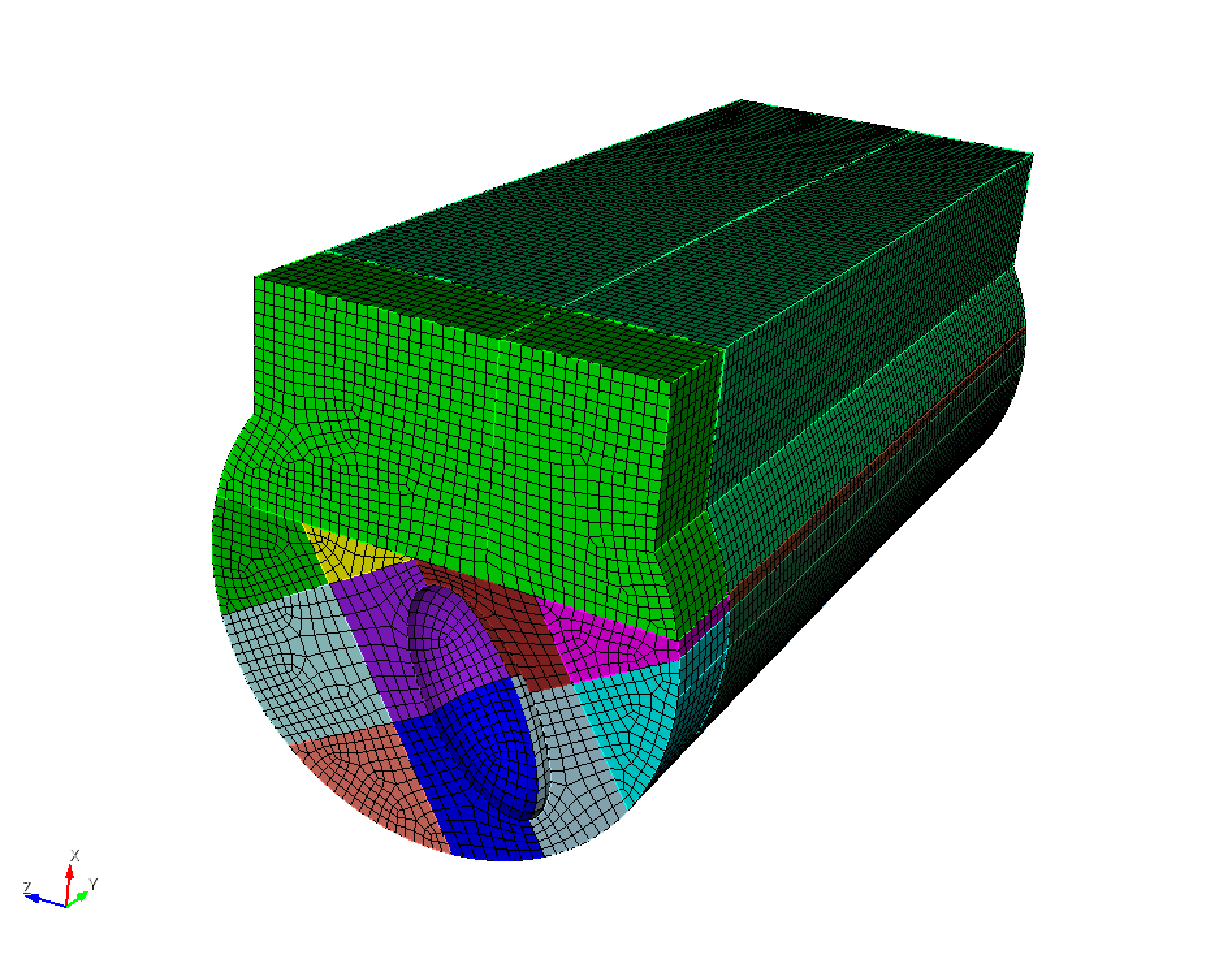
I am trying to model a pore in a partial weld. I have attached a small section of the resulting geometry, which includes an ellipsoidal void and what resembles a crack-tip comprising two flat surfaces. I do not find it simple to mesh the surface of the pore and propagate this mesh in the volume with the constraint of the crack tip.
You could probably improve the mesh quality a bit by uniting all of the parts of the domain that get swept (i.e., everything that is not directly around the ellipse).
To reproduce this, I’ve attached the journal commands below (tested in Cubit 2024.8):
# Create a few reference verts to make applying some transformations easier
create vertex location between location vertex 19 location vertex 20
Vertex 23  copy move y -0.1
Vertex 20  copy move y -0.1
Vertex 25  copy rotate 90 about vertex 24  23

# Remove small surface
remove surface 13 extend

# Decompose the domain
webcut volume 1  with plane xplane offset -68.925
webcut volume 2  with plane vertex 27  vertex 19  vertex 24
webcut volume 3 2  with plane vertex 23  vertex 24  vertex 26

# Add a construction plane to perform some webcuts
create planar surface with plane vertex 24 23 27
move Surface 60  normal to surface 60  distance 0.2 include_merged
webcut volume 3 4  with plane from surface 60
move Surface 60  normal to surface 60  distance -0.4 include_merged
webcut volume 2 5  with plane from surface 60

# Add a second plane to cut near the top of the ellipse
Vertex 39  copy move y -0.1
rotate Vertex 102  angle 90  about vertex 39  27  include_merged
create planar surface with plane vertex 102 43 44
webcut volume 2 9  with plane from surface 101

# Remove the construction planes
delete volume 11
delete volume 6

# Cut vertically
webcut volume all with plane yplane offset 0.2

# Imprint and merge
imprint all
merge surface all

# Set the element size
surface all size 0.02
volume all size 0.02

# Mesh the part around the ellipse
volume 12 7 8 5  scheme polyhedron
mesh volume 12 7 8 5

# Mesh the rest of the front faces
surface 112 104 118 100 63 75 18  scheme pave
mesh surface 112 104 118 100 63 75 18

# Sweep the front regions
volume 2 9 13 10 3 4 1 redistribute nodes on

volume 2  scheme Sweep  source surface 104    target surface 140   sweep transform translate propagate bias
volume 9  scheme Sweep  source surface 112    target surface 198   sweep transform translate propagate bias
volume 13  scheme Sweep  source surface 118    target surface 228   sweep transform translate propagate bias
volume 10  scheme Sweep  source surface 100    target surface 210   sweep transform translate propagate bias
volume 3  scheme Sweep  source surface 63    target surface 148   sweep transform translate propagate bias
volume 4  scheme Sweep  source surface 75    target surface 158   sweep transform translate propagate bias
volume 1  scheme Sweep  source surface 18    target surface 120   sweep transform translate propagate bias

volume 2 9 13 10 3 4 1  autosmooth target off
mesh volume 2 9 13 10 3 4 1

# Mesh the back regions
volume 14 16 17 19 15 23 20 18 21 24 22 redistribute nodes on

volume 14  scheme Sweep  source surface 120    target surface 16   sweep transform translate propagate bias
volume 16  scheme Sweep  source surface 148    target surface 65   sweep transform translate propagate bias
volume 17  scheme Sweep  source surface 158    target surface 73   sweep transform translate propagate bias
volume 19  scheme Sweep  source surface 178    target surface 67   sweep transform translate propagate bias
volume 15  scheme Sweep  source surface 140    target surface 105   sweep transform translate propagate bias
volume 23  scheme Sweep  source surface 218    target surface 107   sweep transform translate propagate bias
volume 20  scheme Sweep  source surface 188    target surface 79   sweep transform translate propagate bias
volume 18  scheme Sweep  source surface 168    target surface 95   sweep transform translate propagate bias
volume 21  scheme Sweep  source surface 198    target surface 114   sweep transform translate propagate bias
volume 24  scheme Sweep  source surface 228    target surface 116   sweep transform translate propagate bias
volume 22  scheme Sweep  source surface 210    target surface 97   sweep transform translate propagate bias

volume 14 16 17 19 15 23 20 18 21 24 22 autosmooth target off
mesh volume 14 16 17 19 15 23 20 18 21 24 22

# Delete construction vertices
delete vertex 23 24 25 26 102
Wow, that was fast! Thank you, I have tested it, it is quite good, your strategy is definitely better than what I had tried. With a few minor tweaks, I’ll be able to use it for my analysis.