Dear Coreform Cubit Community,
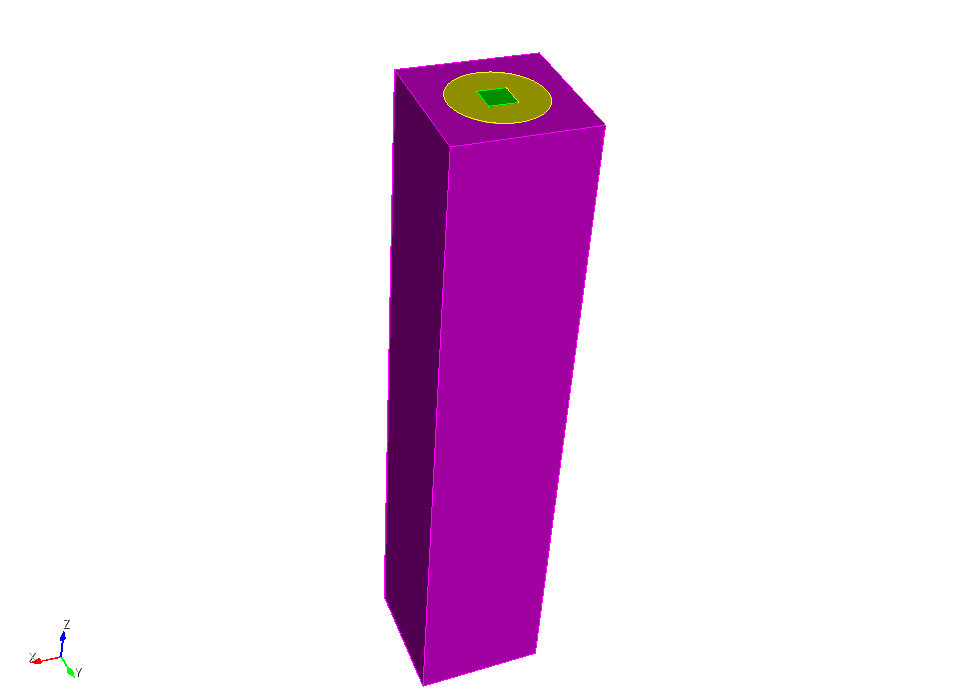
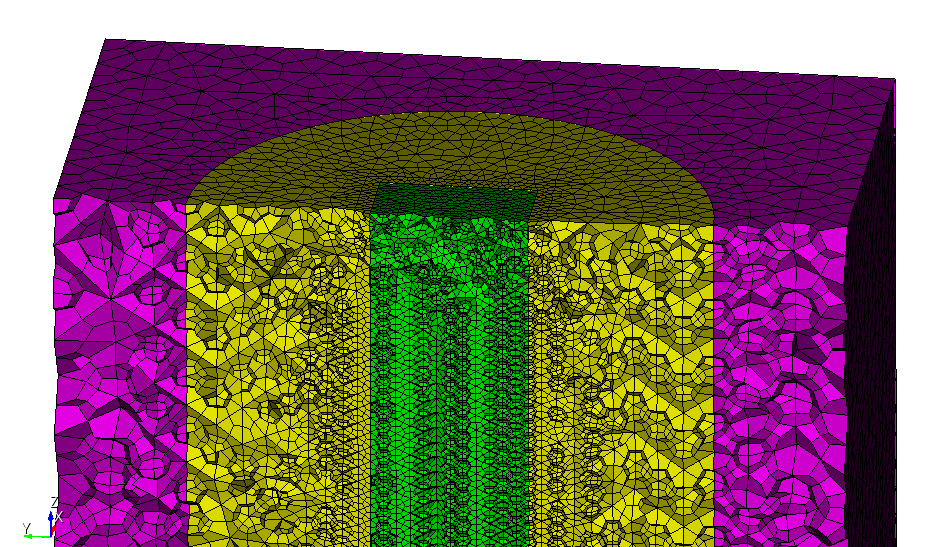
I am using the Coreform Cubit 2025.3 version. I am trying to mesh (hex mesh) a rectangular tank for CFD simulations. I want to keep the fine mesh in the near center of the base for the entire height and then get a coarse mesh as I move towards the side of the tank walls.
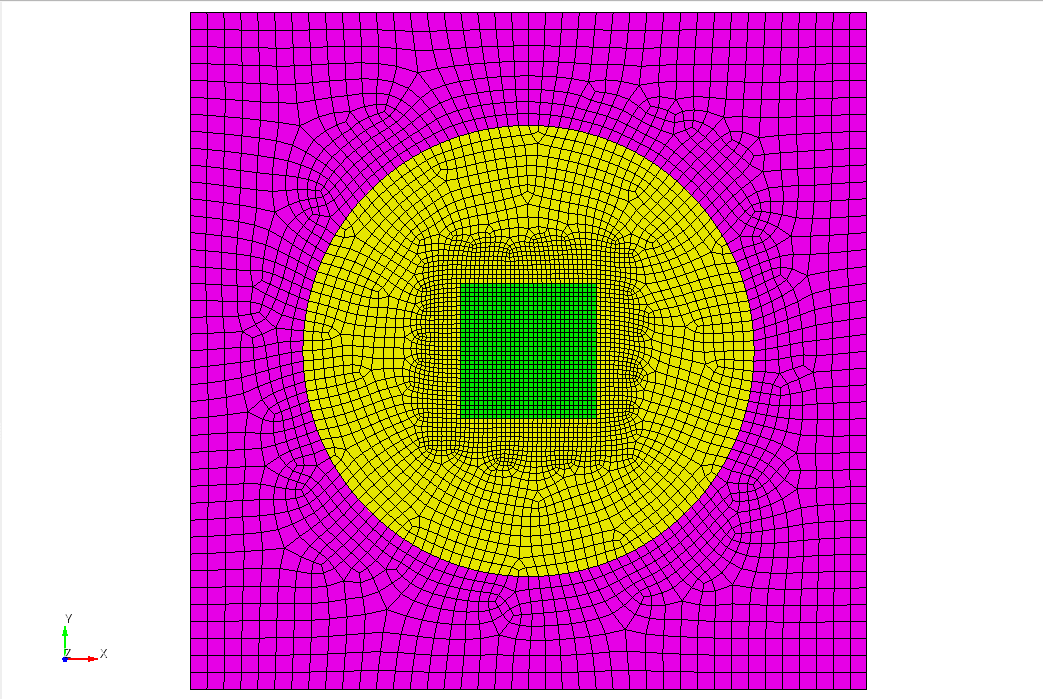
For that, I created the three subvolumes. The innermost volume has a mesh size of 0.0002, which I prefer. The middle region is meshed with a coarser mesh size of 0.00045. And the outer region is meshed with 0.00075 for a coarser mesh. I had to create the middle region to allow the transition from inner fine mesh to outer coarse mesh. I imprinted and merged all volumes so the mesh is conformal across the interfaces. I have attached the cubit journal script at the end.
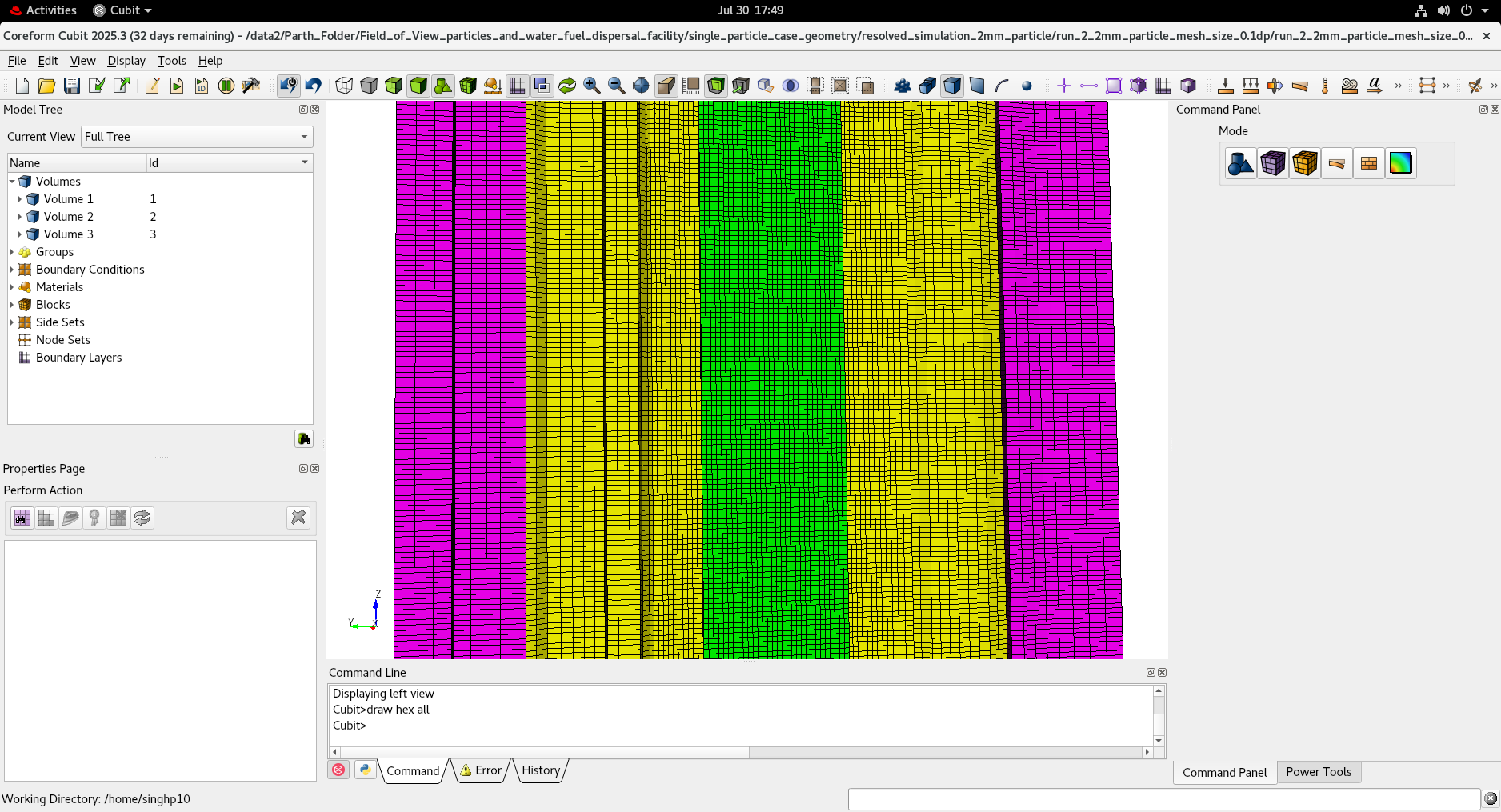
Along the xy-plane, I find the mesh optimal. The mesh size in the z-direction is the same for all three regions. I want to make the z-direction coarser for the middle and outer region; however, I am unable to do so. I tried to give the curve size along the vertical edges to get the coarse discretization in the middle and outer regions, but the mesh failed. I don’t have the exact text saved. Though I believe it was because the intervals did not match for inner and outer edges. I would be grateful if someone could share the method to have a coarse mesh in z-directions as well.
Thank you for your time and considerations.
reset
brick x 0.006 y 0.006 z 0.15
create Cylinder height 0.15 radius 0.01
brick x 0.03 y 0.03 z 0.15
subtract volume 2 from volume 3 keep_tool
subtract volume 1 from volume 2 keep_tool
imprint all
merge all
volume 1 size 0.0002
mesh volume 1
volume 2 size 0.00045
mesh volume 2
volume 3 size 0.00075
mesh volume 3
sideset 1 add surface 1 24 17
sideset 1 name “top_wall”
sideset 2 add surface 15 14 12 13
sideset 2 name “side_walls”
sideset 3 add surface 2 23 18
sideset 3 name “bottom_wall”
move Volume all x 0.015 y 0.015 z 0.075 include_merged
set duplicate block elements off
block 1 add volume 1 2 3
block 1 name “tank”
Hi @singhp10,
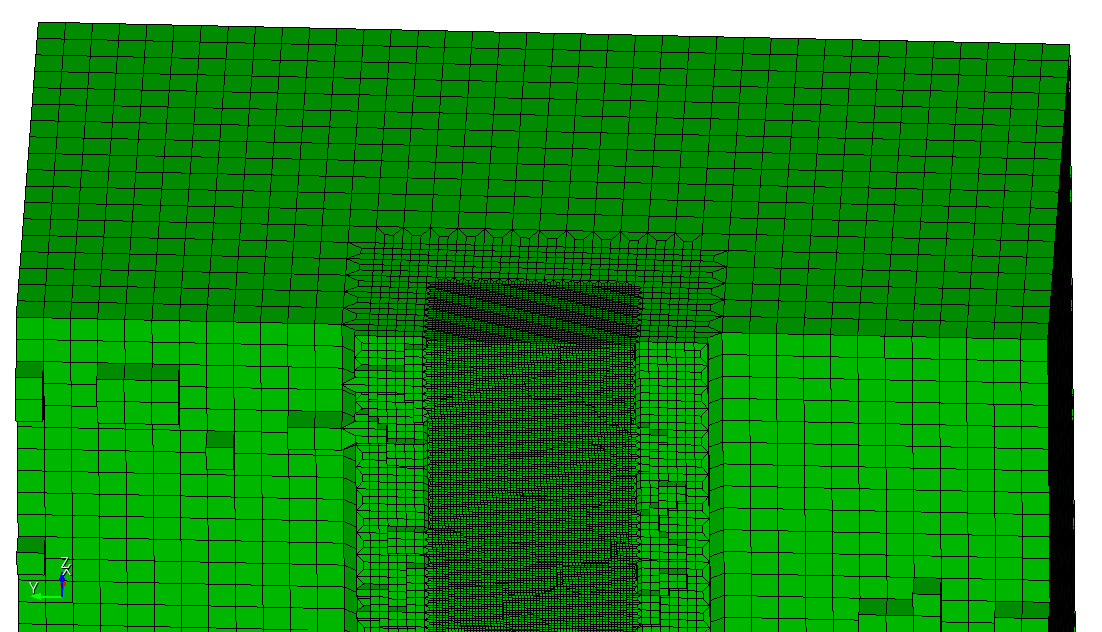
have you already tried to use refinement for the transition?
reset

brick x 0.03 y 0.03 z 0.15

volume 1 size 0.0008
mesh volume 1

refine hex all with x_coord<=0.005 and x_coord>=-0.005 and y_coord<=0.005 and y_coord>=-0.005 numsplit 1 bias 1.0 depth 0
refine hex all with x_coord<=0.003 and x_coord>=-0.003 and y_coord<=0.003 and y_coord>=-0.003 numsplit 1 bias 1.0 depth 0

sideset 1 add surface 1
sideset 1 name 'top_wall'
sideset 2 add surface 3 4 5 6
sideset 2 name 'side_walls'
sideset 3 add surface 2
sideset 3 name 'bottom_wall'

block 1 add volume all
block 1 name 'tank'

move Volume all x 0.015 y 0.015 z 0.075 include_merged
1 Like
Hello @Norbert_Hofbauer!
Thank you so much for your reply. This is a really great option. However, I have one concern here. I would prefer to have some growth rate (~1.2) at the interface from the inner finest region → middle region → outer region.
Based on the refine documentation, I thought adding the smooth and increasing the bias would help; however, I am not able to get that transition. I am not sure if I can use the sizing function to get the transition. I never used this before. Please let me know about it.
Could you also tell me about the following error when I used the smooth.
ERROR: Objective function was not zero. Untangle unsuccessful.
Thank you so much for your time and considerations.
Hi @singhp10,
to get a smooth transition in 2 directions at the same time is not really possible for a hex mesh. We could either try to decompose into smaller volumes and transition step by step or try to use a tetmesh for it.
In Cubit there is the thex functionality which will try to convert a tet mesh into a hex mesh.
Its way easier to try that first.
reset

brick x 0.006 y 0.006 z 0.15
create Cylinder height 0.15 radius 0.01
brick x 0.03 y 0.03 z 0.15
subtract volume 2 from volume 3 keep_tool
subtract volume 1 from volume 2 keep_tool
imprint all
merge all

volume all scheme tetmesh

volume 1 size 0.0006
mesh volume 1

volume 2 size 0.00135
mesh volume 2

volume 3 size 0.00225
mesh volume 3

sideset 1 add surface 1 24 17
sideset 1 name 'top_wall'
sideset 2 add surface 15 14 12 13
sideset 2 name 'side_walls'
sideset 3 add surface 2 23 18
sideset 3 name 'bottom_wall'

move Volume all x 0.015 y 0.015 z 0.075 include_merged

set duplicate block elements off
block 1 add volume 1 2 3
block 1 name 'tank'

thex vol all
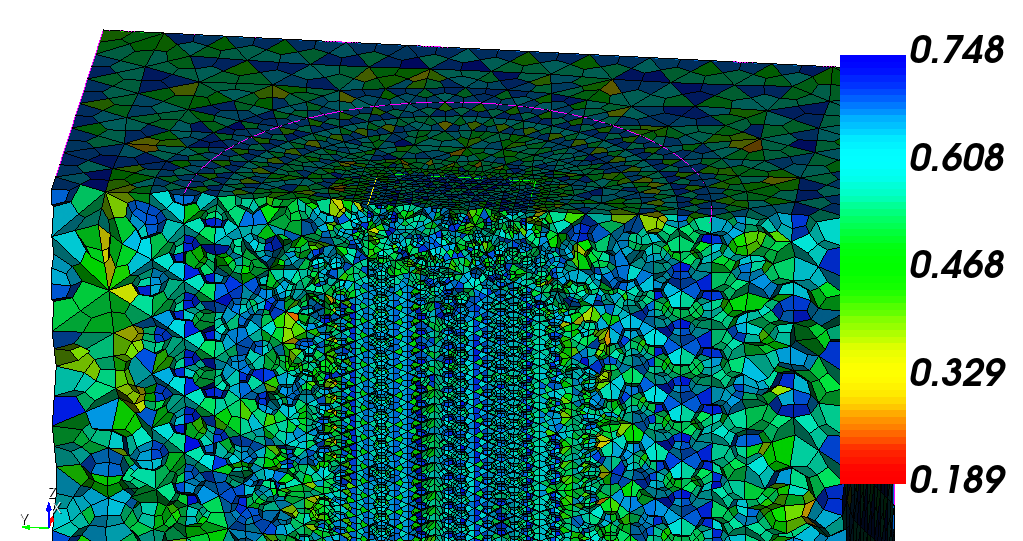
The quality of the hexes is also not that bad.
About the error. When you modify the mesh with smoothing then some nodes will be moved. This can cause elements to get negative jacobians. If Cubit recognizes negative jacobians while smoothing it will try to untangle the element and move the nodes to get a positive jacobian again. In this case it failed. When you check the jacobian for the elements you will most likely see some negative values.
1 Like
Hello @Norbert_Hofbauer,
Thank you so much for your reply. I think this could be a good option for me.
Thank you so much for your time and consideration.
Best,