Dear Coreform-Cubit community,
I am using Coreform-Cubit 2025.8 on Windows. In my geometry, I have several tilted volumes cutting each other. I am looking for a way to make a hex mesh for the geometry, but it fails in some volumes.
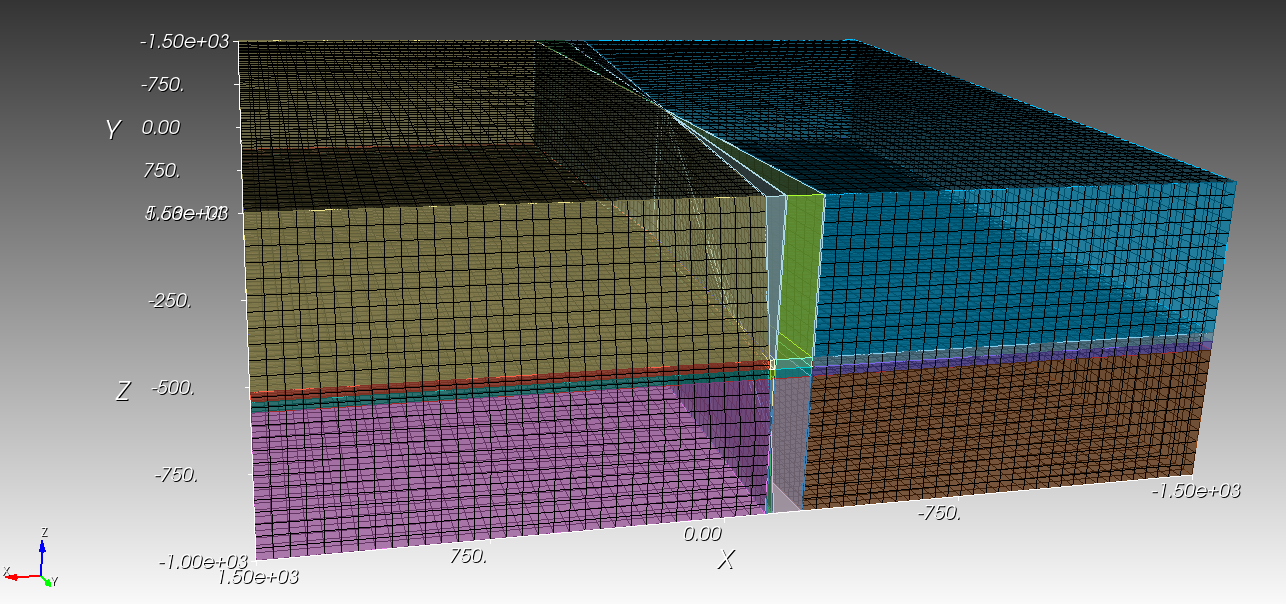
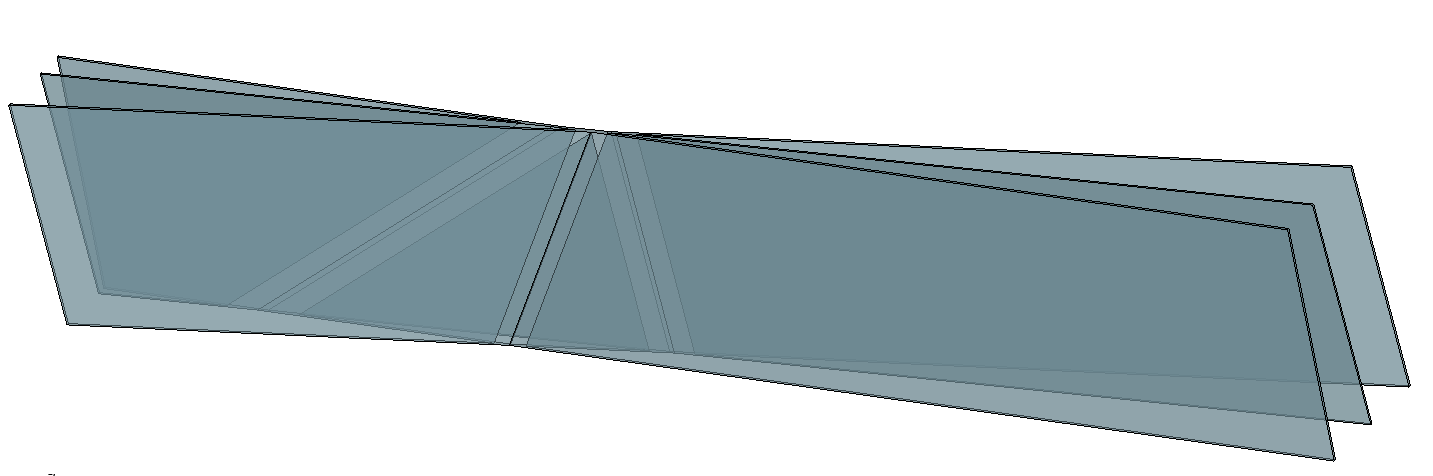
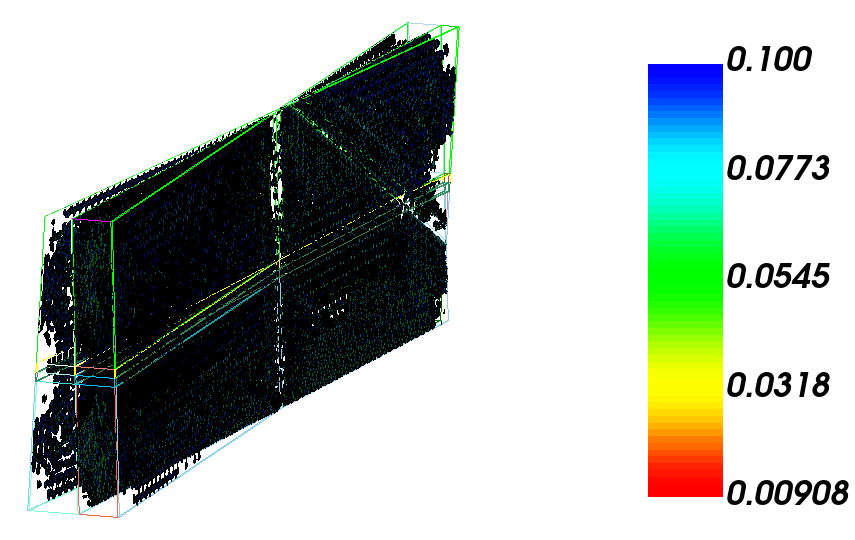
Here is what the geometry looks like:
Here is also my journal file:
#!cubit
reset
brick x 3000 y 3000 z 1000
move Volume 1 z -500 include_merged
brick x 4 y 3000 z 1000
move Volume 2 z -500 include_merged
Volume 2 copy move x 10
rotate Volume 3 angle 5 about Z include_merged
Volume 3 scale 1.3
move Volume 3 z 50 include_merged
Volume 2 copy move x -8
rotate Volume 4 angle 357 about Z include_merged
rotate Volume 4 angle 5 about Y include_merged
Volume 4 scale 1.3
move Volume 4 z 50 include_merged
Surface 1 copy move z 200
Surface 1 copy move z 170
Surface 1 copy move z 140
unite volume 2 3 4
chop volume 1 with volume 2
move Surface 25 z -700 include_merged
move Surface 26 z -700 include_merged
move Surface 27 z -700 include_merged
webcut volume all with plane from surface 25
webcut volume all with plane from surface 26
webcut volume all with plane from surface 27
imprint vol all
merge vol all
volume all size auto factor 2
mesh volume all
In other examples, I may have more volumes cutting each other, and I am looking for a solid solution. I can make a tet mesh, but I prefer hex due to the impact of the tets on later simulations.
Thanks for your support.
cheers
Ali
Hello @ali_geo,
getting this volume meshed as it is with hexes is not possible, as it is not made for any sweep direction.
You would need to decompose it into meshable volumes. Other approach would be to run sculpt over it or make a tetmesh und use thex to get hexes.
Hello @Norbert_Hofbauer ,
Thanks a lot for your hints.
What do you mean by decompose it into meshable volumes? Currently, the volumes are cutting each other. Some are very slender and make very sharp triangles by cross-cutting each other. Is there any example showing how to make a tetmesh and use them to get hexes?
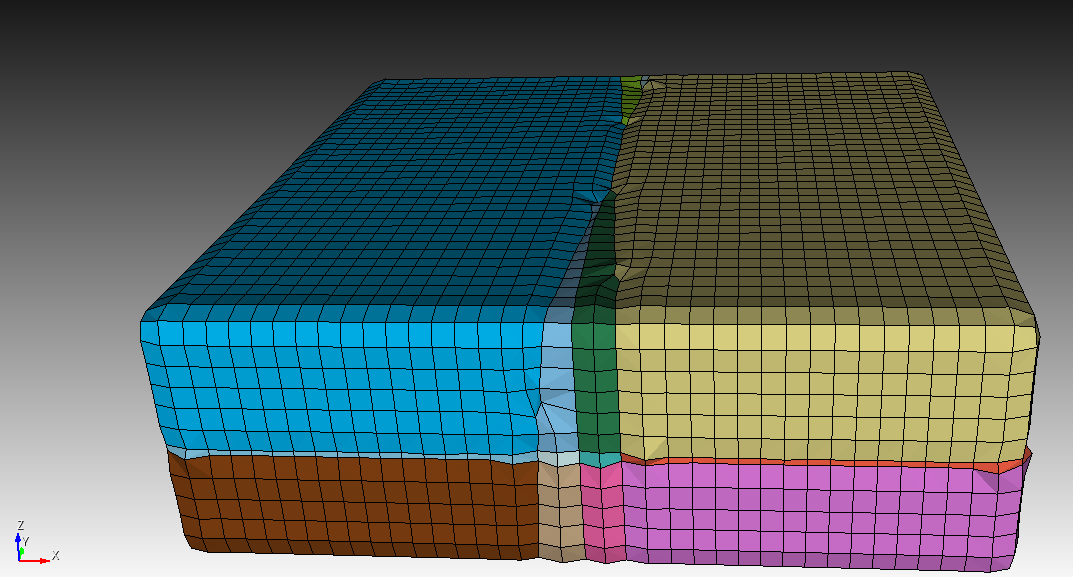
I tried to use Sculpt, but it kind of distorted the geometry:
.
With decompose i meant to use webcuts. The cutting volumes are quite troublesome. Do you need them in this exact configuration?
If you want to convert a tetmesh to a hex mesh then you can try
thex vol all
The other way around would be
htet vol all
A quick try in your case would look like this
#!cubit
reset
brick x 3000 y 3000 z 1000
move Volume 1 z -500 include_merged
brick x 4 y 3000 z 1000
move Volume 2 z -500 include_merged
Volume 2 copy move x 10
rotate Volume 3 angle 5 about Z include_merged
Volume 3 scale 1.3
move Volume 3 z 50 include_merged
Volume 2 copy move x -8
rotate Volume 4 angle 357 about Z include_merged
rotate Volume 4 angle 5 about Y include_merged
Volume 4 scale 1.3
move Volume 4 z 50 include_merged
Surface 1 copy move z 200
Surface 1 copy move z 170
Surface 1 copy move z 140
unite volume 2 3 4
chop volume 1 with volume 2
move Surface 25 z -700 include_merged
move Surface 26 z -700 include_merged
move Surface 27 z -700 include_merged
webcut volume all with plane from surface 25
webcut volume all with plane from surface 26
webcut volume all with plane from surface 27

imprint vol all
merge vol all
volume all size auto factor 2

delete body all with is_sheet
volume all scheme tetmesh
mesh volume all

thex vol all
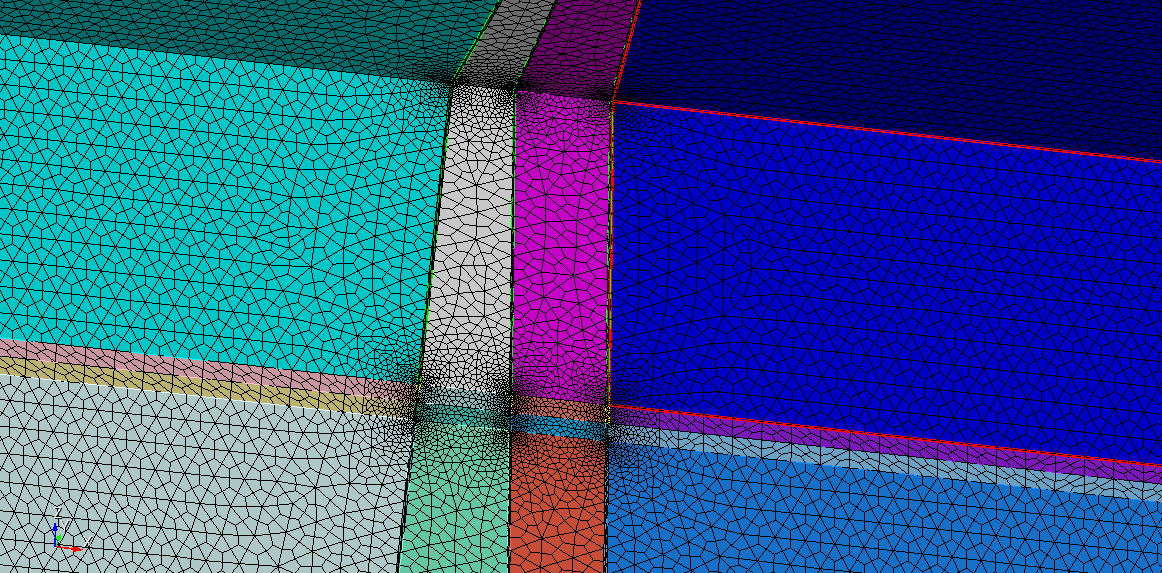
But the resulting mesh has quite a bad quality, especially for the cutting volumes.
Hi @Norbert_Hofbauer, thanks for your support. The current geometry is the final one I want to use.