I am trying to mesh a cylinder that is more refined near its top (in all directions - height (y), radial, and angular directions). So far I have only been able to create a biased mesh in the height (y) direction. I am looking for helpful advice and tips as I am new to Cubit. Thanks in advance!
Is this the kind of thing that you are looking for? I just added a circle scheme to the top surface.
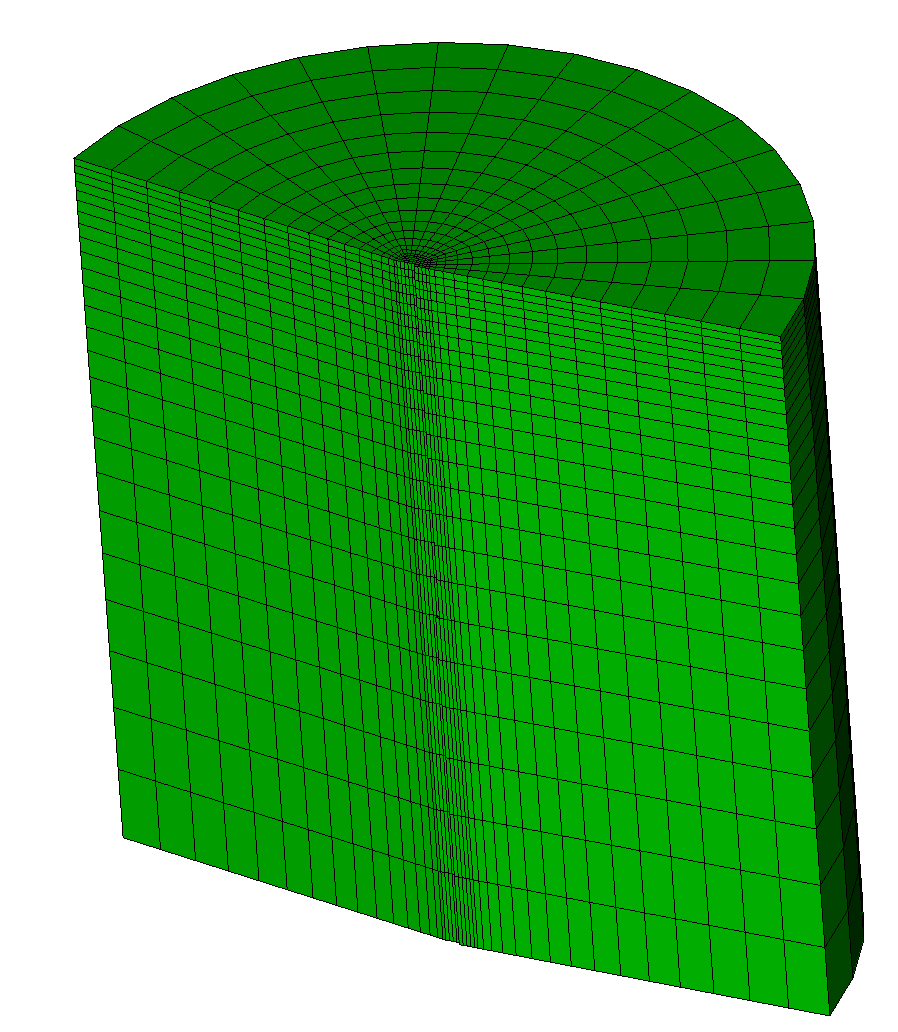
reset
#{r=0.25} # Cylinder Radius
#{h=0.50} # Cylinder Height
#{resLOW = 0.05} # LOW mesh resolution seed size
#{resHIGH = 0.005} # HIGH mesh resolution seed size
create cylinder height {h} radius {r}
rotate volume 1 angle 90 about x include_merged
create curve vertex 1 2
project curve 3 onto volume 1 imprint
curve 4 scheme bias fine size {resHIGH} coarse size {resLOW} start vertex 1
propagate curve bias volume 1
surface 2 scheme circle interval 16 fraction 0.05
mesh vol 1
Karl
Thank you for your time and consideration, @kgmerkley!
Your idea is sort of in line with what I’m hoping to accomplish, although I would like the refinement in the radial direction to be more refined as you move outwards (rather than the heaviest refinement along the center).
I saw that the `fraction’ keyword lets you define a center radius from r=0. Is there a way to define propagate a curve bias from the outside of that region towards the circular edge of the cylinder?
It doesn’t look like that is possible with scheme circle. I played with a couple of methods. Using scheme hole on the top surface looks like the most promising method. You have to cut a core in the cylinder and then mesh the two parts. The inner core will be denser than you might prefer, but the nature of a regular quad mesh forces smaller elements at the center if you want a reasonable mesh size at the circumference.
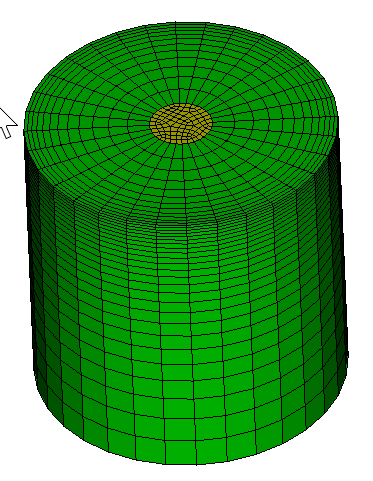
reset
#{r=0.25} # Cylinder Radius
#{h=0.50} # Cylinder Height
#{resLOW = 0.05} # LOW mesh resolution seed size
#{resHIGH = 0.005} # HIGH mesh resolution seed size
create cylinder height {h} radius {r}
rotate volume 1 angle 90 about x include_merged
#create curve vertex 1 2
#project curve 3 onto volume 1 imprint
webcut volume 1 with cylinder radius 0.05 axis y
split periodic volume all
imprint all
merge all
# define hole scheme with bias towards the outside of the hole
surface 5 scheme hole rad_intervals 12 bias 2

# vertical bias on both volumes
curve 7 scheme bias fine size {resHIGH} coarse size {resLOW} start vertex 1
curve 11 scheme bias fine size {resHIGH} coarse size {resLOW} start vertex 10
curve 10 17 interval 16
propagate curve bias volume all
mesh vol all
Karl
Somehow I missed your second post, @kgmerkley . Thank you very much for your time and consideration! This worked like a charm.