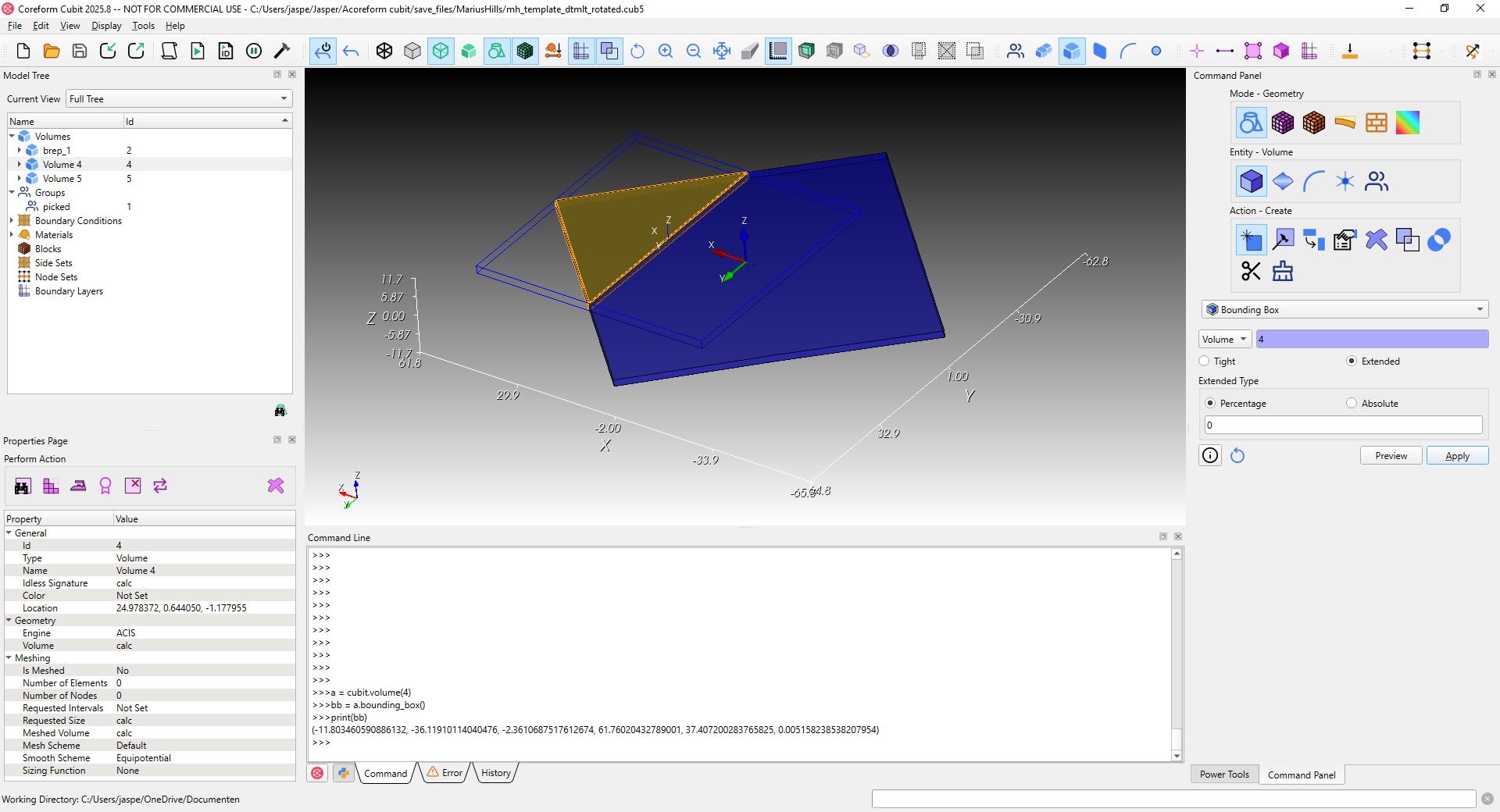
Hi, I’m a student using cubit and I was trying to use the boolean selection functions in cubit, ie
select vol with x_min > 15
However, I seems to me that the object I was trying to select has an x_min that is different when compared to the actual geometry. I expected the above line of code to just select the triangle (vol 4), however, it does not seem to do this.
I also applied an extended bounding box (see blue wireframe parallelepiped in figure) and found that this creates a different shape and size bounding box than I expected. Is this the intended effect? When I create a tight box I do get a real bounding box as expected. I was wondering if this was potentially a bug, or if I’m missing is a setting I need to change to use the tight bounding box for x_min and x_max etc..
The documentation states: X_Min, Y_Min, Z_Min The x, y, or z coordinate of the minimum extent of the entity’s bounding box
The bounding box being referenced is an axis aligned bounding box (AABB). That is the default option in the bounding box dialog. The tight bounding box as you have seen is the oriented bounding box (OBB) as defined by the principal axes of the entity. The OBB s is more expensive to calculate so it is only done when the user requests it.
One of the primary uses of the AABB is doing geometric comparisons. If the AABBs of two objects don’t overlap (a very fast check) they can be eliminated from further geometric comparisons, e.g. overlapping surfaces.
Does that explain the issue? It works as intended for me.