Hi @Elyas!
There’s a command you’re probably looking for that does node renumbering. Access through the GUI:
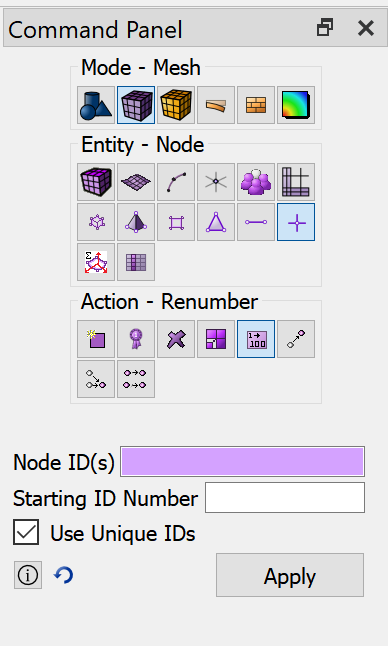
or via the command:
renumber Node <node_id_to_change> start_id <new_node_id> uniqueids
From a programmatic standpoint, you’ll probably want to use the Cubit-Python API, see documentation here: https://cubit.sandia.gov/public/15.6/help_manual/WebHelp/appendix/python/namespace_cubit_interface.htm
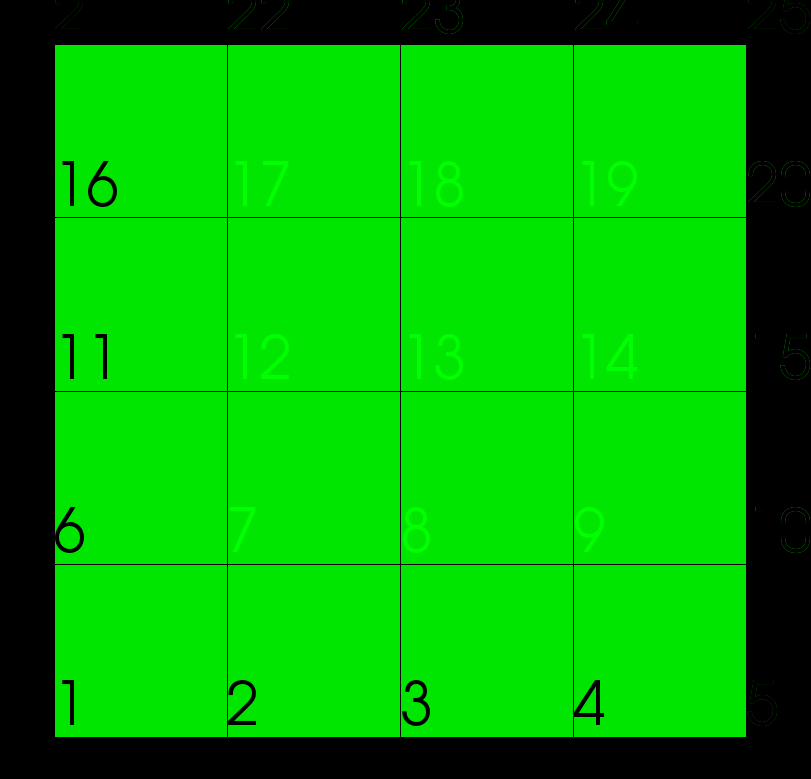
Here’s an example script that works on your example, i.e. rectangular grid, mapped mesh scheme, 2D
## Function to return a list of unique values, within tolerance
def tol_set(inList,tol):
  inList.sort()
  outList = [inList.pop(0), ]
  for i in inList:
    # Skip items within tolerance.
    if abs(outList[-1] - i) <= tol:
        continue
    outList.append(i)
  return outList

## Begin script
cubit.cmd('reset')

## Make initial mesh
cubit.cmd('create surface rectangle width 1 zplane')
cubit.cmd('surf all interval 4')
cubit.cmd('surf all scheme map')
cubit.cmd('mesh surf all')

## Show initial node labels
cubit.cmd('label node On')
cubit.cmd('graphics text size 5')

## Make sure that all node ids are contiguous, starting at 1
num_nodes = cubit.get_node_count()
cubit.cmd('renumber Node all start_id 1 uniqueids')

## Update node label text
cubit.cmd('label node Off')
cubit.cmd('label node On')

## Get nodal coordinates
xyz = [[] for i in range(0,num_nodes)]
for i in range(0,num_nodes):
  xyz[i] = list(cubit.get_nodal_coordinates(i+1))

## Get unique x,y values of nodal coordinates
x = []
y = []
for i in range(0,num_nodes):
  x.append(xyz[i][0])
  y.append(xyz[i][1])

x = tol_set(x,1e-12)
y = tol_set(y,1e-12)

## Renumber node ids increasing West->East, South->North
n = 0
for i in range(0,len(y)):
  for j in range(0,len(x)):
    n += 1
    print(n)
    node_id = cubit.get_closest_node(x[j],y[i],0.)
    print(node_id)
    command = 'renumber Node {node_id} start_id {n} uniqueids'
    command = command.format(node_id=node_id, n=n)
    cubit.cmd(command)

## Update node label text
cubit.cmd('label node Off')
cubit.cmd('label node On')